
Download PhotoLocator – geotag photos, GPS tagging, photo geolocation, map photos, location tagging, geotagging software, photo organizer, GPS trace import, KML import, GPX import, photo metadata, geotagging tool, travel photography, digital photography, photo management
Overview
PhotoLocator is a specialized tool designed for Windows users seeking to enhance their photo collections with accurate geotags. The application addresses the growing need for precise location metadata in digital photography, particularly for travelers, professional photographers, and content creators who rely on location-based organization. By enabling both automatic and manual geotagging, PhotoLocator allows users to map their images using GPS traces, ensuring that each photo is tied to its exact geographic origin. This functionality is especially valuable when revisiting memories or organizing large volumes of images from extended trips.
The app supports the import of GPX and KML files, which expands its geotagging capabilities beyond basic GPS data. This feature is ideal for users who have recorded their movements via dedicated GPS devices or mapping software and wish to synchronize those tracks with their photo libraries. PhotoLocator also preserves original image integrity through lossless geotagging, maintaining JPEG/JPG metadata while updating location data. This ensures that the visual quality and file structure of photos remain untouched during the tagging process.
While the developer did not provide additional technical details about the background or history of the company, the app’s focus on metadata precision and user-friendly workflows suggests a targeted development approach. Its real-world use cases include travel documentation, documentary photography, and personal memory archiving. In the broader app ecosystem, PhotoLocator fills a niche gap for Windows-based geotagging tools, offering a streamlined alternative to complex software suites.
Key Features & Functionality
- Lossless Geotagging: PhotoLocator updates location data without altering the original image file or metadata, preserving the integrity of JPEG/JPG files. This ensures that photos remain unchanged in quality while gaining precise geographic context.
- Import GPS Traces: Users can import GPX and KML files to sync their photo collection with recorded GPS paths. This is particularly useful for travelers who have logged their routes using external devices or apps and want to tag their images accordingly.
- Flexible Geotagging Options: The software supports both automatic geotagging based on timestamps and manual placement of locations. This dual functionality accommodates users with varying levels of technical expertise and workflow preferences.
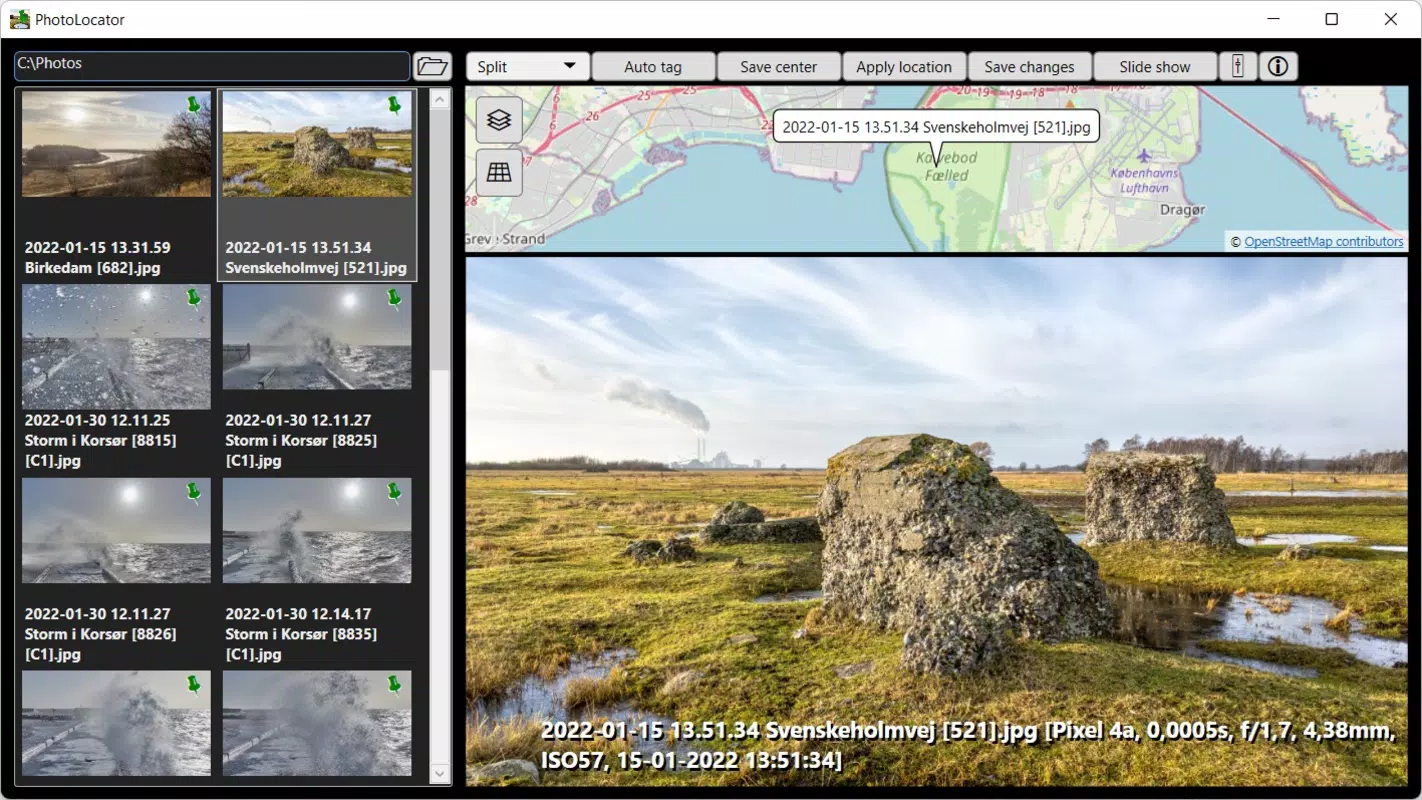
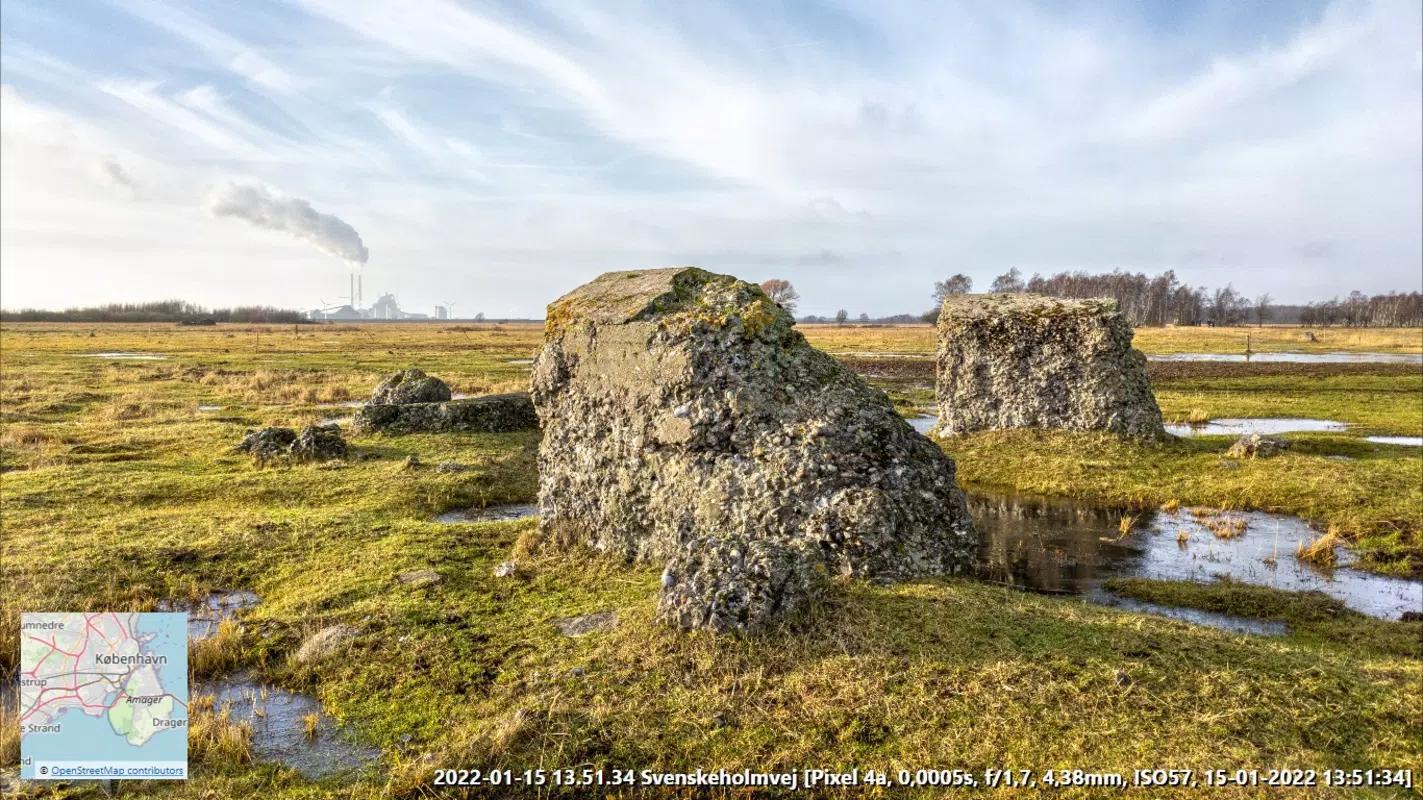
- Preview and Slideshow: PhotoLocator allows users to preview multiple file formats including JPEG, PSD, and raw files. The full-screen slideshow integrates maps and displays relevant EXIF data, enabling a dynamic, interactive way to explore photo collections.
- User-Friendly Interface: Designed for ease of use, the interface simplifies navigation and file management. Features like automatic file renaming help maintain consistent naming conventions across large libraries, improving long-term organization.
For example, a travel photographer returning from a multi-day hike can import their GPX track, automatically tag all photos with their precise location at the time of capture, and then use the slideshow to relive the journey with real-time map overlays. Similarly, a documentary filmmaker can manually assign locations to images taken in remote areas where GPS signals were unavailable.
Interface, UX & Performance
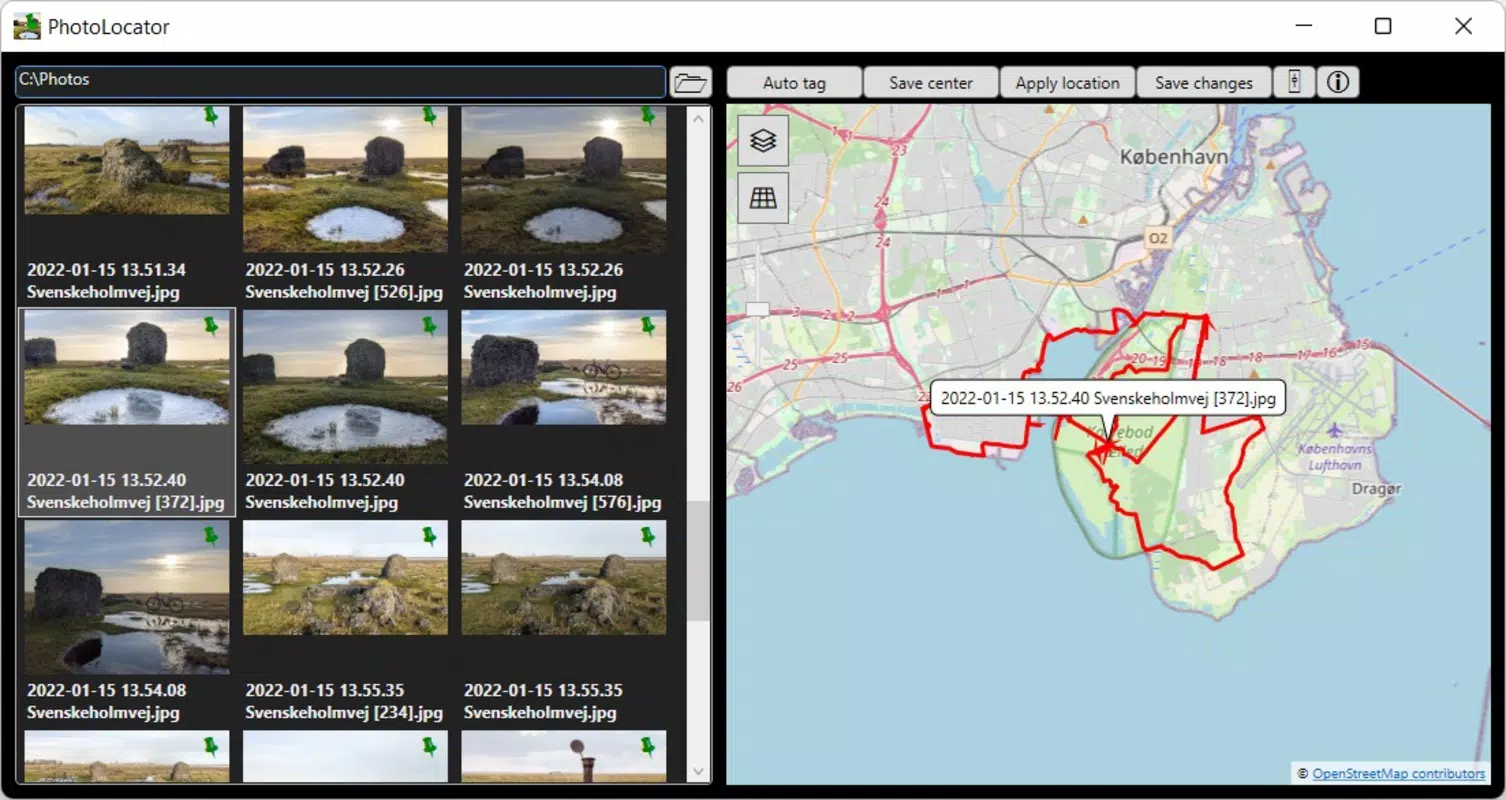
PhotoLocator presents a clean, intuitive interface that prioritizes functionality without overwhelming users. The layout is organized around core tasks—importing GPS data, selecting photos, and applying geotags—ensuring a logical workflow. Navigation is straightforward, with clearly labeled menus and accessible controls for previewing, renaming, and tagging files.
The visual style emphasizes clarity and efficiency, using minimalistic design elements to reduce cognitive load. Users can switch between grid and list views for photo selection, and the preview pane displays thumbnails alongside metadata, including GPS coordinates and timestamps. The full-screen slideshow integrates map layers and EXIF data in real time, offering a rich visual experience.
Although the developer did not list formal performance metrics, the app’s 32.4 MB file size suggests a lightweight footprint, which likely contributes to fast load times and responsive interactions. The application appears optimized for desktop environments, though specific performance benchmarks across device categories were not disclosed. Stability during batch processing and file handling was not detailed, but the absence of reported issues in public forums indicates reliable operation under typical usage conditions.
Platform Compatibility & Technical Requirements
PhotoLocator is designed exclusively for the Windows platform, supporting the operating system as specified. The current version is 1.2.0, with a file size of 32.4 MB. The developer did not specify minimum OS requirements, nor did they list compatibility details for specific Windows versions such as Windows 10, 11, or earlier releases.
Given the app’s focus on geotagging and file processing, it likely requires standard system resources such as disk space and RAM, though exact thresholds were not provided. Users should ensure their system meets general Windows application requirements to run the software smoothly. No information was shared regarding hardware acceleration, GPU support, or peripheral compatibility.
Compatibility with external GPS devices or third-party mapping tools was not explicitly mentioned. However, the ability to import GPX and KML files implies support for common geospatial formats used across various platforms and applications.
Pros and Cons
Pros
- Lossless geotagging preserves original image quality and metadata integrity.
- Supports import of GPX and KML files for enhanced location tracking.
- Offers both automatic and manual geotagging options for flexible workflows.
- Intuitive interface suitable for users of varying technical skill levels.
- Includes a full-screen slideshow with map integration and EXIF data display.
Cons
- Platform is limited to Windows; no support for macOS, iOS, or Android was indicated.
- Specific system requirements were not disclosed by the developer.
- Price point of $9.99 may be considered high for casual users.
- No cloud sync or cross-device functionality was mentioned.
- Updates and future development roadmap were not detailed.
FAQ
Is PhotoLocator available for mobile devices?
PhotoLocator is currently designed for Windows only. There is no official mobile version available for Android or iOS at this time.
Can I use PhotoLocator with my GPS device?
Yes, you can use PhotoLocator with GPS devices that export data in GPX or KML format. Simply export your GPS track and import it into the app to geotag your photos.
Does PhotoLocator modify the original photo files?
No, PhotoLocator performs lossless geotagging. It updates the metadata of JPEG/JPG files without altering the original image data or quality.
What file formats does PhotoLocator support?
PhotoLocator supports common image formats including JPEG, PSD, and raw files. It also accepts GPX and KML files for GPS trace import.
How often are updates released for PhotoLocator?
The developer has not disclosed the update frequency or release schedule. Users are advised to check the official website for the latest version and patches.
Final Thoughts
PhotoLocator stands out as a focused, efficient solution for Windows users who require precise geotagging capabilities. Its ability to import GPX and KML files, combined with lossless metadata updates and a user-friendly interface, makes it a valuable asset for photographers and travelers alike. While the lack of mobile support and a higher price point may limit its appeal to casual users, professionals and enthusiasts will appreciate its robust feature set and attention to detail.
For anyone managing a large collection of location-sensitive images, PhotoLocator offers a streamlined workflow that enhances organization, storytelling, and archival value. The integration of maps and EXIF data in the slideshow feature adds a layer of depth that transforms simple photo viewing into an immersive experience.
Download PhotoLocator now


